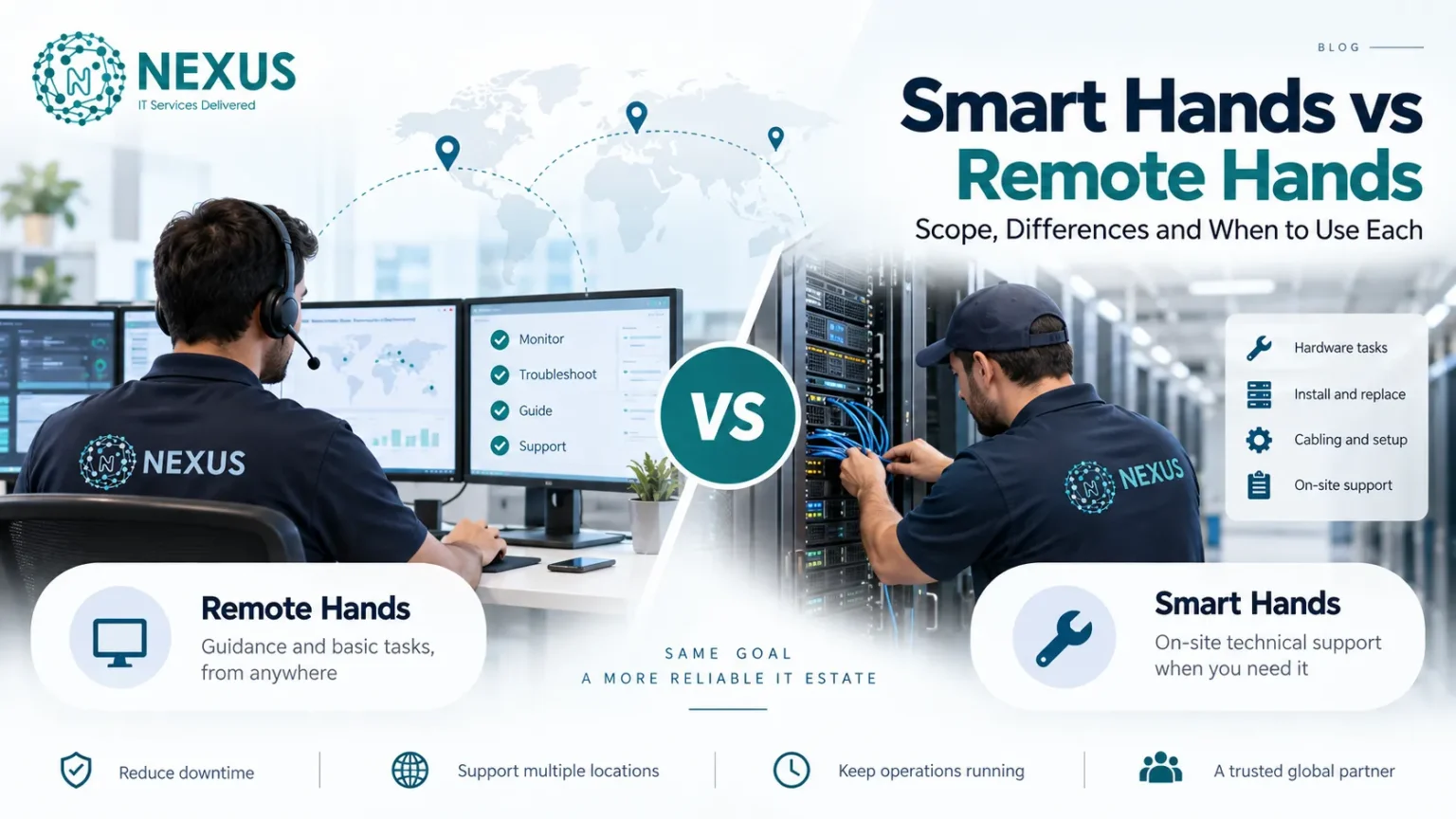
Smart Hands and Remote Hands are two important data center support services designed to help organizations maintain, troubleshoot, and manage their IT infrastructure, servers, network equipment, and colocation environments without requiring their own engineers to be physically present at the facility. Although both services involve remote coordination with on-site technicians, their scope, technical responsibility, and level of expertise are different.
Remote Hands typically covers physical infrastructure tasks such as server reboots, rack inspections, cable connections, hardware replacement, equipment labeling, and visual checks. These tasks usually follow clear instructions provided by the customer or IT team.
Smart Hands extends beyond basic physical assistance by providing skilled technical support for complex activities such as hardware diagnostics, network troubleshooting, device configuration, firmware updates, installation support, and infrastructure maintenance.
In this guide, Nexus GMS explores the key differences between Smart Hands and Remote Hands, including their roles in data center operations, managed IT services, colocation support, incident management, and enterprise infrastructure management. Understanding these differences helps IT managers, system administrators, and businesses choose the appropriate level of technical support based on their operational requirements.
What Are Remote Hands Services?
Remote Hands is a data center support service that provides physical assistance for IT infrastructure when an organization’s technical team cannot be physically present at the facility. It connects remote IT teams with on-site technicians who perform defined hardware-related tasks inside data centers, colocation facilities, and server environments.
Definition of Remote Hands
“Remote Hands” refers to on-site technical support performed by data center technicians under remote guidance from an organization’s IT team or managed service provider. These services mainly focus on physical access, equipment handling, and basic infrastructure operations rather than advanced system configuration or troubleshooting.
Remote Hands commonly supports servers, network devices, racks, cabling systems, power equipment, and other physical components within an IT infrastructure environment.
Common Remote Hands Tasks
Remote Hands tasks usually involve routine physical activities required to maintain and operate data center equipment.
Hardware Installation
Includes physical installation or replacement of IT equipment such as servers, network devices, storage components, and rack-mounted hardware following provided instructions.
Cable Checking
Involves inspecting, connecting, labeling, or replacing network cables, power cables, patch panels, and rack connections to ensure proper physical connectivity.
Server Reboot
Includes performing controlled server restarts, power cycling, or device resets when requested for maintenance, recovery, or troubleshooting purposes.
Physical Inspection
Covers visual checks of server racks, hardware indicators, power status, device lights, and physical conditions to identify possible issues or confirm equipment status.
What Are Smart Hands Services?
Smart Hands is an advanced data center support service that provides skilled technical assistance for managing, maintaining, and troubleshooting IT infrastructure, servers, network equipment, and enterprise systems. Unlike basic Remote Hands support, Smart Hands involves technicians with deeper technical expertise who can perform complex tasks requiring investigation, configuration, and technical decision-making.
Definition of Smart Hands
Smart Hands refers to specialized on-site technical support provided by experienced data center engineers or technicians who assist remote IT teams with advanced infrastructure operations. These services bridge the gap between remote management and physical access by providing hands-on technical expertise for hardware, networking, and system-level tasks.
Smart Hands commonly supports server environments, network devices, storage systems, virtualization platforms, and colocation infrastructure where advanced troubleshooting and maintenance are required.
Common Smart Hands Tasks
Smart Hands tasks involve technical activities that require more than basic physical assistance and often support incident resolution, infrastructure changes, and system optimization.
Troubleshooting Hardware Issues
Includes diagnosing and resolving problems related to servers, storage devices, network equipment, power components, and hardware failures through physical inspection and technical testing.
Network Configuration
Involves performing technical tasks on routers, switches, firewalls, and network devices, such as port configuration, connectivity testing, and network setup changes.
System Diagnostics
Covers detailed analysis of hardware performance, system errors, device logs, alerts, and operational issues to identify the root cause of infrastructure problems.
Technical Maintenance
Includes advanced maintenance activities such as firmware updates, hardware upgrades, equipment testing, installation support, and infrastructure changes while following approved operational procedures.
Smart Hands vs Remote Hands: Key Scope Differences
Smart Hands and Remote Hands differ in their level of technical expertise, responsibility, and involvement in data center operations and IT infrastructure management. Remote Hands mainly provides physical assistance, while Smart Hands extends support into technical troubleshooting, configuration, and maintenance activities.
Difference in Skill Requirements
Remote Hands requires basic technical knowledge to perform physical tasks such as hardware checks, cable handling, equipment installation, and server reboots based on provided instructions.
Smart Hands requires higher technical expertise, allowing technicians to perform advanced tasks involving servers, networking equipment, storage systems, diagnostics, and system configuration.
Difference in Task Complexity
Remote Hands focuses on simple and predefined activities where the steps are clearly provided, such as replacing hardware components, checking connections, or inspecting equipment.
Smart Hands handles more complex infrastructure tasks that require technical understanding, including troubleshooting failures, configuring devices, performing upgrades, and supporting system changes.
Difference in Troubleshooting Capability
Remote Hands can perform basic physical checks and report observations but usually does not analyze deeper technical issues.
Smart Hands can investigate problems, analyze hardware or system behavior, perform diagnostics, and assist in identifying the root cause of infrastructure issues.
Difference in Infrastructure Responsibility
Remote Hands mainly supports the physical layer of IT infrastructure, including racks, cables, servers, and hardware components.
Smart Hands supports wider infrastructure operations by working with servers, networks, storage systems, and technical environments that require specialized knowledge and operational experience.
Smart Hands and Remote Hands in Data Center Operations
Smart Hands and Remote Hands play important roles in modern data center operations by providing physical access, technical assistance, and infrastructure support for organizations managing servers, networks, and colocation environments.
Organizations operating distributed infrastructure often use managed IT support services in London to maintain their data center environments and ensure reliable technical assistance.
Role in Colocation Facilities
In colocation facilities, Remote Hands and Smart Hands allow businesses to maintain their equipment without having staff physically present. Remote Hands supports basic activities such as rack checks, cable management, and hardware handling, while Smart Hands assists with advanced tasks like troubleshooting, configuration, and system maintenance.
Role in Managed IT Services
Within managed IT services, Smart Hands and Remote Hands extend the capabilities of IT teams by providing on-site support for distributed infrastructure. These services help managed service providers maintain servers, networking devices, storage systems, and critical IT environments across different locations.
Role in Incident Management
During IT incidents, Remote Hands helps with immediate physical actions such as checking equipment status, restarting devices, or replacing components. Smart Hands supports deeper incident resolution through diagnostics, technical troubleshooting, and corrective maintenance to restore infrastructure operations.
When Should Organizations Use Remote Hands?
Organizations use Remote Hands services when they require physical assistance with their data center infrastructure, colocation equipment, or IT hardware, but their internal IT team cannot be physically present at the facility. Remote Hands provides on-site technician support for routine operational tasks involving servers, network devices, racks, cabling systems, and power components.
Remote Hands is most suitable for tasks that have clear instructions and do not require advanced system analysis, software configuration, or complex troubleshooting. It helps organizations maintain physical availability of their infrastructure while keeping remote IT teams connected with on-site operations.
Suitable Remote Hands Scenarios
Remote Hands is commonly used in scenarios such as:
- Server installation and hardware replacement: Installing rack-mounted servers, replacing faulty components, adding storage drives, or handling physical equipment changes.
- Cable checking and rack management: Inspecting network cables, power connections, patch panels, and ensuring proper rack organization.
- Server reboot and power operations: Performing physical restarts, power cycling, or checking device status when remote access is unavailable.
- Hardware inspection and verification: Checking server indicators, alarms, and physical connections and collecting equipment information from the data center.
- Routine data center maintenance: Supporting basic tasks such as equipment labeling, inventory checks, and physical infrastructure verification.
When Should Organizations Use Smart Hands?
Organizations use Smart Hands services when IT tasks require advanced technical expertise, troubleshooting skills, or hands-on support for complex data center infrastructure, servers, networks, and enterprise systems. Smart Hands is suitable when remote teams need experienced technicians to perform activities beyond basic physical assistance.
These services are commonly used for infrastructure changes, technical investigations, system maintenance, and situations where specialized knowledge is required to reduce downtime and maintain operational reliability.
Suitable Smart Hands Scenarios
Smart Hands is commonly used in scenarios such as:
- Hardware troubleshooting and diagnostics: Identifying issues with servers, storage systems, network devices, and other critical infrastructure components.
- Network configuration and testing: Supporting routers, switches, firewalls, connectivity checks, and network device changes.
- System maintenance and upgrades: Performing firmware updates, hardware upgrades, equipment testing, and technical maintenance procedures.
- Complex incident resolution: Investigating infrastructure failures, analyzing device behavior, and assisting with root cause identification.
- Data center migration and deployment tasks: Supporting equipment installation, configuration verification, and infrastructure changes during expansions or technology upgrades.
How Smart Hands and Remote Hands Work Together
Smart Hands and Remote Hands complement each other by combining physical access with technical expertise in data center operations and IT infrastructure management. Together, they help organizations maintain servers, network equipment, storage systems, and colocation environments efficiently.
This approach is commonly integrated with broader IT support services in Glasgow, where organizations need both remote management and onsite technical assistance.
Combining Physical and Technical Support
Remote Hands provides the physical support layer, handling tasks such as equipment checks, cable management, hardware installation, and power operations. Smart Hands adds the technical support layer by performing troubleshooting, configuration, diagnostics, and advanced maintenance.
When combined, both services create a complete support approach where physical infrastructure tasks and technical operations can be managed without requiring an internal team to be present at the data center.
How to Choose Between Smart Hands and Remote Hands
Choosing between Smart Hands and Remote Hands depends on the type of IT infrastructure task, required technical expertise, and operational risk. Organizations should evaluate whether they need basic physical assistance or advanced technical support for their data center environment.
Evaluate Task Complexity
For simple physical tasks such as server reboot, cable checks, equipment inspection, and hardware handling, Remote Hands is usually suitable. Complex activities like troubleshooting, configuration, and system changes require Smart Hands support.
Evaluate Required Expertise
Remote Hands requires basic technical knowledge and follows predefined instructions, while Smart Hands requires specialized skills in servers, networking, storage systems, and infrastructure management.
Evaluate Infrastructure Risk
For critical systems where downtime or incorrect changes can impact operations, Smart Hands provides deeper technical support and controlled maintenance. Remote Hands is more suitable for low-risk physical tasks with clear procedures.
FAQs
1. What is the difference between Smart Hands and Remote Hands?
Remote Hands provides basic physical support such as hardware checks, cable management, and server reboots. Smart Hands provides advanced technical support, including troubleshooting, configuration, and maintenance.
2. What tasks are included in Remote Hands?
Remote Hands typically includes server reboot, hardware installation, cable checking, rack inspection, and physical equipment verification.
3. What tasks require Smart Hands?
Smart Hands is used for hardware troubleshooting, network configuration, system diagnostics, firmware updates, and technical maintenance.
4. Are Smart Hands and Remote Hands only used in data centers?
They are mainly used in data centers, colocation facilities, and IT infrastructure environments where physical and technical support is required.
5. Can Smart Hands replace an internal IT team?
Smart Hands can support internal IT teams by providing specialized on-site assistance, but it does not always replace a complete IT department.
6. When should an organization choose Remote Hands?
Organizations should choose Remote Hands for routine physical tasks that can be completed with clear instructions and minimal technical complexity.
7. When should an organization choose Smart Hands?
Organizations should choose Smart Hands when tasks require advanced expertise, troubleshooting, configuration, or technical decision-making.
8. How do Smart Hands and Remote Hands work together?
Remote Hands handles the physical layer, while Smart Hands manages technical operations, creating complete support for IT infrastructure.