
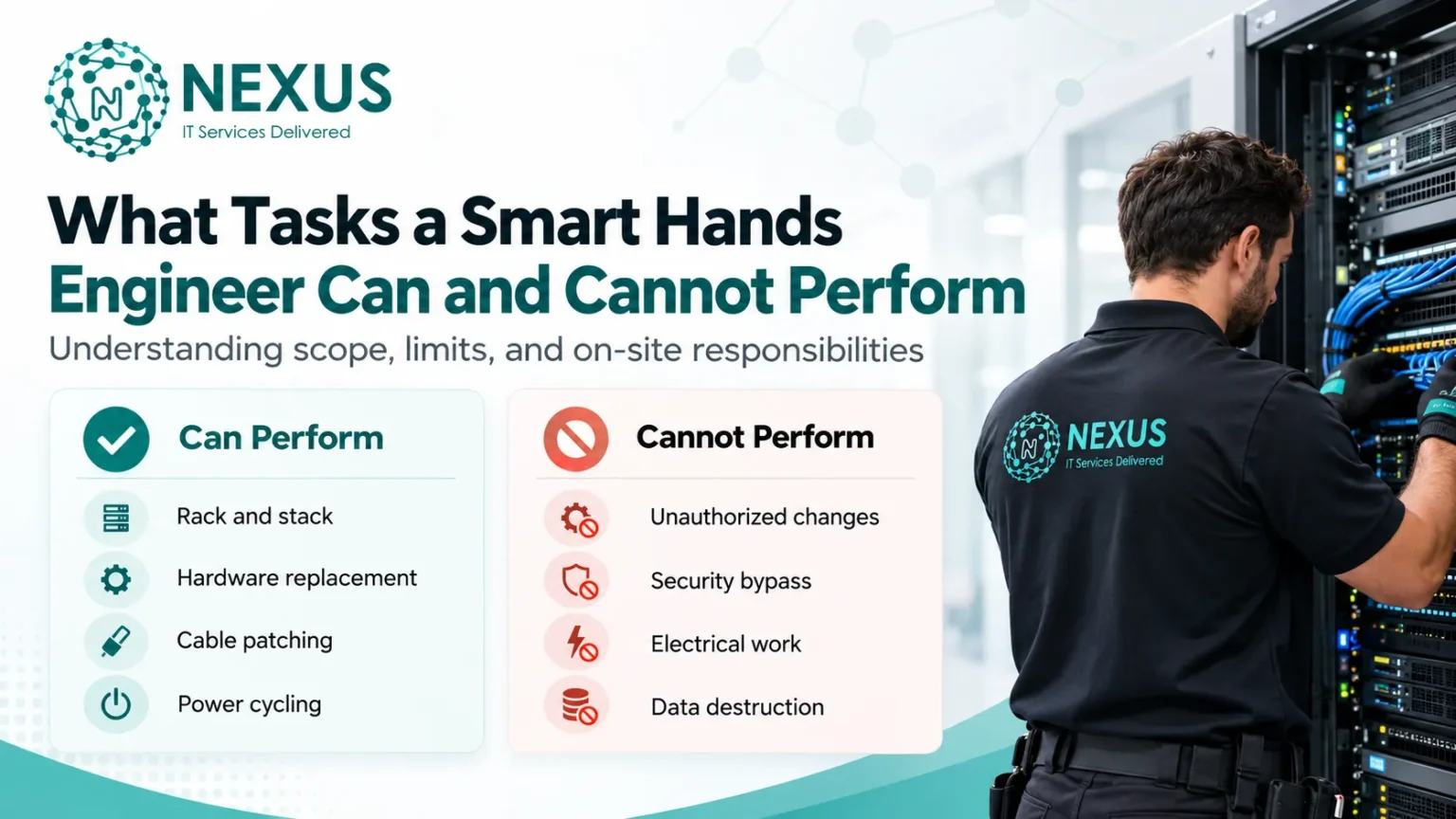
A Smart Hands engineer provides authorized on-site support for physical IT infrastructure, including servers, switches, routers, firewalls, racks, cabinets, PDUs, patch panels, fiber and Ethernet cabling, storage devices, KVM systems, and hardware components such as SSDs, RAM, PSUs, NICs, and transceivers. Typical responsibilities include rack-and-stack, hardware replacement, cable patching, power cycling, console access, asset verification, visual inspections, and guided hardware troubleshooting.
However, Smart Hands support has clear operational limits. Engineers should not make unauthorized production changes, alter routing or firewall configurations without approval, bypass access controls, perform specialist electrical work, erase data, or carry out tasks outside the approved runbook, maintenance window, technical competency, or data center policy.
This nGMS guide explains where Smart Hands responsibilities begin and end, helping readers understand which infrastructure tasks can be handled on-site, which require authorization, and when escalation to network, systems, security, storage, or facilities specialists is necessary.
What Tasks Can a Smart Hands Engineer Perform?
A Smart Hands engineer can perform authorized physical and hardware-level tasks on servers, switches, routers, firewalls, racks, cabinets, PDUs, patch panels, network cabling, storage devices, and console systems. The work typically includes rack-and-stack, component replacement, cable patching, power cycling, visual inspection, console access, basic diagnostics, and asset verification.
Rack and Stack IT Equipment
Smart Hands engineers can install and position servers, network switches, routers, and appliances inside racks or cabinets. This may include fitting rails, assigning the correct rack unit, securing equipment, and connecting approved power feeds to a PDU.
Replace Server Hardware Components
They can replace approved field-replaceable hardware such as HDDs, SSDs, RAM modules, power supply units, NICs, cooling fans, and transceivers.
Component replacement should follow the correct device identification, maintenance instruction, hardware procedure, and change approval to avoid replacing the wrong part or interrupting production systems.
Install and Replace Network Cables
Smart Hands support can include physical network connectivity work such as Ethernet patching, fiber patching, cable replacement, cable tracing, labeling, and patch-panel connections.
The engineer verifies the correct port, patch panel, cable ID, switch interface, and SFP/transceiver before making or changing a connection.
Reboot or Power-Cycle Equipment
An engineer may perform an authorized reboot or power cycle on a server, switch, router, firewall, storage appliance, or other infrastructure device when remote recovery is unavailable.
Because restarting production hardware can interrupt active services, the engineer should first confirm the device, maintenance window, approval, and restart instruction.
Perform Visual Hardware Checks
Smart Hands engineers can physically inspect infrastructure for signs of hardware or connectivity problems, including:
- status and fault LEDs
- loose or disconnected cables
- damaged connectors
- failed power indicators
- incorrect device labels
- visible component damage
- missing physical links
These observations provide remote engineers with physical evidence that cannot be obtained through monitoring tools alone.
Provide Console and KVM Access
When a device cannot be reached over the network, Smart Hands engineers can establish local access using a serial console, KVM, crash cart, or management interface.
This may allow a remote engineer to inspect BIOS, BMC, iDRAC, iLO, boot messages, or console output without being physically present at the site.
Assist With Basic Hardware Troubleshooting
Smart Hands engineers can support fault isolation by checking power delivery, link lights, cable connections, hardware seating, component status, and physical interfaces.
They may reseat an approved component, verify whether a link is active, confirm power availability, or report hardware symptoms to a network, systems, storage, or vendor support engineer for deeper diagnosis.
Perform Asset and Equipment Checks
Smart Hands engineers can verify physical infrastructure records by checking:
- serial numbers
- asset tags
- manufacturer and model
- rack and cabinet position
- installed components
- port assignments
- cable mappings
This helps keep asset inventories, rack elevations, CMDB records, and infrastructure documentation aligned with the equipment physically installed in the data center.
What Tasks Can a Smart Hands Engineer Not Normally Perform?
A Smart Hands engineer should not perform tasks outside approved access, change control, technical competency, safety rules, or facility policy. Common limits include unauthorized production changes, independent design decisions, software-level work, security bypasses, specialist electrical work, and destructive actions.
Make Unauthorized Production Changes
They should not modify live router, switch, firewall, server, or network configurations without an approved change request, runbook, maintenance window, or remote engineer instruction.
Make Independent Infrastructure Design Decisions
Smart Hands engineers normally do not decide network topology, routing strategy, redundancy, storage architecture, firewall design, or failover planning. These belong to specialist engineering or architecture teams.
Perform Application-Level Troubleshooting
Tasks such as code debugging, database troubleshooting, ERP configuration, software changes, or application deployment are usually outside Smart Hands scope unless specifically authorized.
Bypass Security or Access Controls
They should not use unauthorized credentials, bypass MFA, authentication, physical access controls, restricted cages, or security policies.
Perform Specialist Electrical Work
Connecting equipment to an approved PDU may be allowed, but breaker work, UPS repair, electrical distribution changes, and facility power modifications normally require qualified electrical or facilities personnel.
Perform Destructive Actions Without Approval
They should not wipe disks, format drives, factory reset devices, delete configurations, destroy media, or erase production data without explicit authorization.
Perform Work Beyond Their Competency
Advanced tasks such as BGP configuration, complex firewall changes, SAN redesign, storage reconfiguration, or vendor-specific engineering should be escalated to the appropriate specialist.
What Determines Whether a Smart Hands Task Is Allowed?
A Smart Hands task is allowed only when it matches the engineer’s authorization, technical competency, access level, safety requirements, customer instructions, and facility policy.
Key factors include:
- Task authorization: the work must be explicitly approved.
- Engineer competency: the technician must be qualified for the device, hardware, or procedure.
- Access permission: the engineer must have authorized access to the rack, cabinet, cage, system, or console.
- Customer runbook: the task should follow documented steps, device details, and expected outcomes.
- Change-management approval: production changes may require a change request or maintenance window.
- Facility policy: data center rules may restrict power, cabling, security, or physical access tasks.
- Equipment risk: critical servers, storage, firewalls, and network devices may require additional approval.
- Safety requirements: electrical, lifting, ESD, fiber, and equipment-handling rules must be followed.
Smart Hands task scope = authorization + competency + access + safety + customer instructions + provider/facility policy
Smart Hands Task Scope by Infrastructure Type
Smart Hands responsibilities vary by infrastructure type. Physical installation, cabling, hardware replacement, console access, and approved power actions are commonly allowed, while software changes, security-sensitive actions, facility modifications, and destructive tasks usually require additional authorization or specialist support.
| Infrastructure | Common Smart Hands Tasks | Common Restrictions |
| Server | Install, rack, reboot, replace HDD/SSD, RAM, PSU or NIC | OS, application, configuration or data changes without approval |
| Network | Mount switches/routers, patch cables, verify ports, provide console access | Unapproved routing, VLAN, BGP or firewall changes |
| Rack & Cabinet | Install rails, mount or remove equipment, verify rack position | Structural rack or facility modifications |
| Cabling | Patch, trace, label and replace Ethernet or fiber connections | Unauthorized permanent structured cabling changes |
| Power | Connect approved devices to a PDU and verify power status | Breaker, UPS or electrical distribution work |
| Storage | Replace approved drives, PSUs or other hardware components | Deleting arrays, reconfiguring storage or erasing data |
| Console | Connect KVM, serial console, crash cart, iDRAC or iLO access | Unauthorized login, credential use or security-control bypass |
What Information Should Be Included in a Smart Hands Request?
A Smart Hands request should identify the exact device, location, task, approval, and expected outcome so the engineer can work safely and avoid changes to the wrong equipment.
Include:
- Device name: hostname, asset name, or equipment ID
- Serial number: confirms the exact server, switch, router, firewall, or storage device
- Rack/cabinet location: site, cage, cabinet, rack, and U position
- Exact task: clear action such as reboot, replace, patch, inspect, or connect
- Affected ports/components: port number, cable ID, HDD, SSD, PSU, NIC, SFP, or other part
- Expected result: the condition that confirms successful completion
- Maintenance window: approved start and end time for the work
- Rollback instructions: steps to restore the previous state if the task fails
- Remote contact: network, systems, storage, or infrastructure engineer responsible for the change
- Approval reference: ticket ID, change request, work order, or authorization record
What Happens When a Task Is Outside Smart Hands Scope?
If a Smart Hands task exceeds the engineer’s authorization, access level, competency, safety limits, or facility policy, work should stop and be escalated before any further action is taken.
Process:
Stop → Document → Escalate → Obtain Authorization → Assign the Appropriate Specialist
The engineer should record the affected device, rack, port, component, error, console output, or hardware condition, then notify the responsible technical team.
Depending on the issue, escalation may go to a:
- Network engineer — routing, switching, VLAN, BGP, firewall changes
- Systems engineer — server, OS, virtualization, or platform issues
- Storage engineer — SAN, RAID, array, or storage configuration
- Security engineer — access control, authentication, firewall, or security incidents
- Facilities engineer — power, UPS, cooling, or electrical infrastructure
- Vendor support engineer — hardware faults, firmware, warranty, or OEM-specific issues
Work should resume only after the correct approval, instructions, or specialist ownership is in place.
FAQs
1. What does a Smart Hands engineer do?
A Smart Hands engineer performs authorized on-site IT tasks such as hardware replacement, rack-and-stack, cabling, console access, power cycling, and physical troubleshooting.
2. Can a Smart Hands engineer replace server hardware?
Yes. They can replace approved components such as HDDs, SSDs, RAM, PSUs, NICs, fans, and transceivers when proper instructions are provided.
3. Can Smart Hands engineers configure routers or switches?
Only when the change is authorized and within their technical competency. Unapproved routing, VLAN, BGP, or firewall changes are normally restricted.
4. Can a Smart Hands engineer reboot production equipment?
Yes, but production servers, switches, firewalls, and storage systems should only be rebooted with proper approval or a maintenance window.
5. What tasks are usually outside Smart Hands scope?
Unauthorized production changes, application debugging, specialist electrical work, security bypasses, destructive data actions, and advanced architecture decisions are typically outside scope.
6. Can Smart Hands engineers perform software troubleshooting?
Usually not beyond basic console or hardware-related checks. Application, database, ERP, and software issues are generally handled by specialist teams.
7. What happens if a Smart Hands task is outside scope?
The engineer should stop, document the issue, escalate it, obtain authorization, and hand the task to the appropriate network, systems, storage, security, facilities, or vendor specialist.